Best of Every World: How to Build a Cross-Ecosystem Tech Setup That Doesn't Fall Apart

For a long time, the conventional wisdom was simple: pick a lane. Apple or Android. Google or Microsoft. iCloud or OneDrive. Mixing ecosystems was considered messy, a recipe for sync headaches and features that half-worked on one device and didn't work at all on another.
That conventional wisdom is getting harder to defend. The tools bridging ecosystems have gotten genuinely good. The platforms themselves have become more interoperable — sometimes out of regulatory pressure, sometimes out of competitive necessity. And a growing number of people have figured out that committing fully to one ecosystem often means accepting its weakest links just to keep everything tidy.
The alternative — a deliberately hybrid setup — takes more thought upfront. But done right, it means you get the best hardware for each job, the best software for each task, and a lot less leverage for any one company to hold over you.
Why People Are Walking Away From Full Ecosystem Commitment
Ecosystem loyalty used to come with real rewards. Apple's AirDrop, Handoff, and iMessage integration genuinely made having all-Apple devices feel seamless. Google's suite worked beautifully if you lived in Chrome and Android. Microsoft's Surface and Office combo made sense for enterprise power users.
But those rewards have gotten thinner as the gaps between ecosystems have narrowed. Cross-platform apps have matured significantly. Third-party tools have filled in most of the remaining gaps. And the downsides of full commitment — higher prices, fewer hardware choices, vendor-controlled feature roadmaps — have become harder to ignore.
There's also a practical reality: people don't actually choose their tech in a vacuum. Your employer issues a Windows laptop. Your household has a mix of iPhone and Android users. Your smart home has devices from three different manufacturers. The "pure ecosystem" setup is increasingly a fantasy for most American households.
The Honest Trade-Offs You Need to Know
Before building a hybrid setup, it helps to be clear-eyed about what you're giving up and what you're gaining.
What you lose: Some native integrations are genuinely hard to replicate. If you're an iPhone user who switches to a Windows laptop, you'll lose the kind of seamless Handoff experience that lets you answer calls from your computer or pick up a webpage mid-scroll. That stuff works because Apple controls both ends. Third-party workarounds exist, but they require setup and occasionally break after OS updates.
What you gain: Freedom to pick the best tool for each job. A MacBook for creative work, a Windows machine for gaming or enterprise software, an Android phone because you prefer the hardware — none of these choices have to cancel each other out anymore. You also reduce your single-vendor risk. If Apple raises iCloud prices or Google sunsets a service you depend on (and they will, eventually), you're not completely stranded.
Building Blocks: The Ecosystem-Agnostic Tools That Make Hybrid Work
The reason hybrid setups are viable in 2024 in a way they weren't five years ago comes down to a specific category of tools: cloud-based, cross-platform apps that don't care what device you're running them on.
For file storage and sync: Dropbox, Google Drive (accessible from any browser or app), and Notion all work across platforms without meaningful degradation. If you're not leaning on iCloud Drive or OneDrive as your primary storage, you're already more portable.
For communication: Slack, WhatsApp, Signal, and even Discord work identically on iOS, Android, macOS, and Windows. Pick your messaging app based on what your contacts actually use, not what your phone manufacturer prefers.
For productivity: Microsoft 365 and Google Workspace are both available across every major platform. Notion, Obsidian, and Linear don't care what OS you're running. The era of apps being meaningfully better on their native platform is mostly over.
For password management: 1Password and Bitwarden work everywhere. Don't use iCloud Keychain or Google Password Manager as your primary vault if you're building a hybrid setup — you'll create a dependency that's annoying to untangle later.
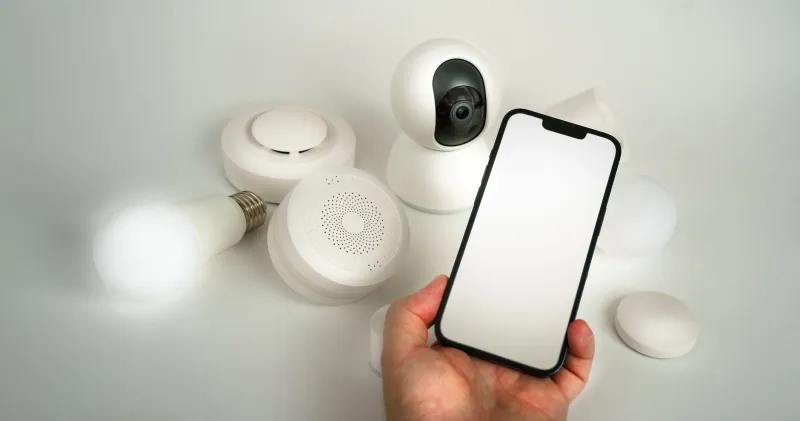
For smart home: Matter and Thread are the protocols that were specifically designed to let devices from different manufacturers talk to each other. If you're buying new smart home gear, prioritize Matter-compatible devices. It's the closest thing the industry has to genuine ecosystem neutrality.
A Framework for Deciding What to Mix and What to Keep Native
Not every integration is worth fighting. Here's a simple way to think about which ecosystem features are worth preserving and which are easy to replace.
Keep native when the feature is deeply embedded and hard to replicate. Apple Watch health data syncing with an iPhone is a good example. The integration is tight enough that using an Apple Watch with an Android phone creates a genuinely degraded experience. This is a case where the ecosystem pairing is worth honoring.
Go cross-platform when the feature is primarily about convenience, not depth. Clipboard sharing between devices sounds like a native-ecosystem exclusive, but tools like Clipboard Manager apps and browser-based solutions handle this reasonably well. It's worth the small setup cost to gain flexibility.
Prioritize open standards wherever possible. CalDAV calendars, IMAP email, and Matter-compatible smart home devices all give you portability. Vendor-specific formats and protocols are the things that trap you. Every time you have a choice between an open standard and a proprietary one, the open standard is the smarter long-term bet.
Real-World Hybrid Setups That Actually Work
To make this concrete: here are a few hybrid configurations that real users are running without major friction.
The Creative/Enterprise Split: MacBook Pro for design and video work (where macOS and the hardware genuinely excel), Windows desktop for gaming and enterprise software that doesn't run well on Mac, iPhone for mobile. The glue: Google Drive, Slack, and 1Password across all devices.
The Android-Plus-Mac Combo: Android phone (Google Pixel or Samsung) for flexibility and hardware variety, MacBook for the laptop experience. This used to be painful. It's now manageable with Android's "Link to Windows" feature (yes, it works on Mac via web), Google Drive, and Chrome as the primary browser syncing bookmarks and passwords across both.
The Smart Home Agnostic Setup: Google Nest Hub as the primary voice interface, Amazon Echo in the kitchen for shopping lists (Alexa's grocery integration is still better), and a mix of Matter-compatible lights, locks, and sensors that respond to both. It works because Matter doesn't care who made your hub.
The One Rule That Makes Hybrid Setups Sustainable
Here's the thing that makes or breaks a cross-ecosystem setup: documentation. Not elaborate documentation — just a simple note somewhere (a shared doc, a note in your password manager) that records what tools you're using for what, and where your data actually lives.
When something breaks or you need to onboard a new device, that record is the difference between a ten-minute fix and a three-hour troubleshooting session. It also makes it much easier to audit your setup periodically and cut tools that aren't pulling their weight.
Hybrid setups aren't for everyone. If you're deeply embedded in one ecosystem and genuinely happy there, there's no reason to complicate things. But if you've ever felt stuck paying for a device you didn't really want just to keep your setup from breaking — or passed on a better tool because it didn't play nice with your current stack — it might be time to rethink the all-in approach.